 Ouro UI
One bench, three screens, one Swift package. Pull up a seat.

Get started
One line of Swift.
Add the package in Xcode under File, Add Package Dependencies, or put this in your Package.swift:
.package(url: "https://github.com/ourostack/ouro-ui-apple.git", from: "0.2.1")It needs iOS 18 or macOS 15 and Swift 6.1 tools; newer things like the folding hinge and Siri AI switch on by themselves where the OS has them.
Five minutes
Your first screen with manners.
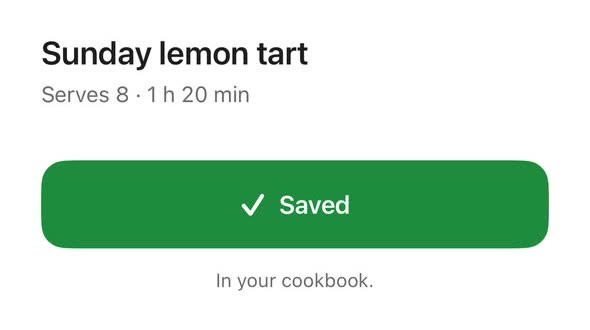
A theme at the root, then a button that presses, springs and taps from the shared table.
import OuroHX

@main
struct MyApp: App {
    var body: some Scene {
        WindowGroup {
            ContentView().ouroTheme(.pearl)
        }
    }
}

struct ContentView: View {
    @Environment(\.ouroColors) private var colors
    @Environment(\.ouroTheme) private var theme
    @State private var saved = false

    var body: some View {
        Button(saved ? "Saved" : "Save") { saved.toggle() }
            .foregroundStyle(colors.primaryForeground)
            .padding()
            .background(colors.primary, in: .rect(cornerRadius: theme.radius(.lg)))
            .buttonStyle(.ouroPress)
            .ouroAnimation(.spring, value: saved)
            .ouroHaptic(.checked, trigger: saved)
    }
}
In the box
What you can import.
OuroHXThemes, colours, the spring and curves, haptic moments and fold posture. For your app.OuroHXTestingSnapshot tests in light, dark and Increase Contrast, and audit helpers. For your tests.OuroAXOutcomes, problems and entity queries, in the shape Ouro AX gives them on the web too. For your app.OuroAXTestingThe X-ray's checks and reports, and Siri evaluation helpers. For your tests.ouro-ax-xrayThe X-ray itself, for you and for CI.ouro-ax-skillsThe skills linter, also as a build plugin.
In CI
Let CI do the X-raying.
Build your app for the Simulator, then run the X-ray on it. Its exit code fails the job when a claim you care about slips.
swift run ouro-ax-xray --app path/to/App.app --commit "$(git rev-parse --short HEAD)" --out reportThe behaviour stage runs your app's queries with AppIntentsTesting in a test bundle; the package's scripts/xray-probe.sh sets that up. For what only Siri can answer, write a scenario set and run it on a device with the 27.3 beta.
Coming next
Feel and Reins, for the brave.
Ouro Feel and Ouro Reins are on ouro-ui-apple's main branch, and come in a later release. Until then the package line above doesn't include them; their pages show what they do.
- Ouro FeelLink OuroFeel into your UI test target and walk every screen.
- Ouro ReinsLink OuroReins into your app's UI-free core and drive it with ls and do.
The package is ouro-ui-apple 0.2.1, with docs in its README.